
The hardware and bandwidth for this mirror is donated by METANET, the Webhosting and Full Service-Cloud Provider.
If you wish to report a bug, or if you are interested in having us mirror your free-software or open-source project, please feel free to contact us at mirror[@]metanet.ch.
rsgl implements the SGL graphics language for use within R. SGL is a graphics language that is designed to look and feel like SQL, and is based on the grammar of graphics.
To install the official CRAN release:
install.packages("rsgl")If you instead want the development version, install from GitHub with:
# install.packages("devtools")
devtools::install_github("sgl-projects/rsgl")dbGetPlot is the primary interface to rsgl. It takes a
DBI database connection and a SGL
statement and returns the corresponding plot.
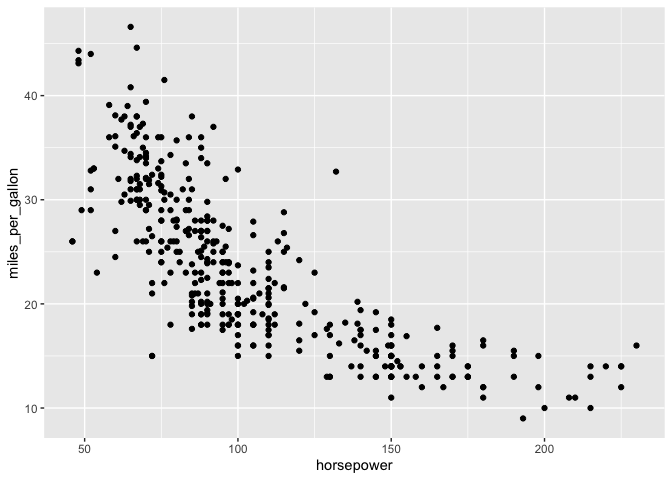
The following example demonstrates creating a DBI connection to an in-memory DuckDB database, loading it with data, and then generating a scatterplot from a SGL statement.
library(duckdb)
#> Loading required package: DBI
library(rsgl)
#>
#> Attaching package: 'rsgl'
#> The following objects are masked from 'package:datasets':
#>
#>     cars, trees

con <- dbConnect(duckdb())
dbWriteTable(con, "cars", cars)

dbGetPlot(con, "
    visualize
        horsepower as x,
        miles_per_gallon as y
    from cars
    using points
")
These binaries (installable software) and packages are in development.
They may not be fully stable and should be used with caution. We make no claims about them.