
The hardware and bandwidth for this mirror is donated by METANET, the Webhosting and Full Service-Cloud Provider.
If you wish to report a bug, or if you are interested in having us mirror your free-software or open-source project, please feel free to contact us at mirror[@]metanet.ch.

shinychat provides a Shiny toolkit for building generative AI applications like chatbots and streaming content. It’s designed to work alongside the ellmer package, which handles response generation.
You can install shinychat from CRAN with:
install.packages("shinychat")Or, install the development version of shinychat from GitHub with:
# install.packages("pak")
pak::pak("posit-dev/shinychat/pkg-r")To run this example, you’ll first need to create an OpenAI API key,
and set it in your environment as OPENAI_API_KEY.
You’ll also need to install the ellmer package (with
install.packages("ellmer")).
library(shiny)
library(shinychat)

ui <- page_chat(
  "Assistant",
  id = "chat",
  greeting = "**Hello!** How can I help you today?"
)

server <- function(input, output, session) {
  chat <-
    ellmer::chat_openai(
      system_prompt = "Respond to the user as succinctly as possible."
    )

  observeEvent(input$chat_user_input, {
    stream <- chat$stream_async(input$chat_user_input)
    chat_append("chat", stream)
  })
}

shinyApp(ui, server)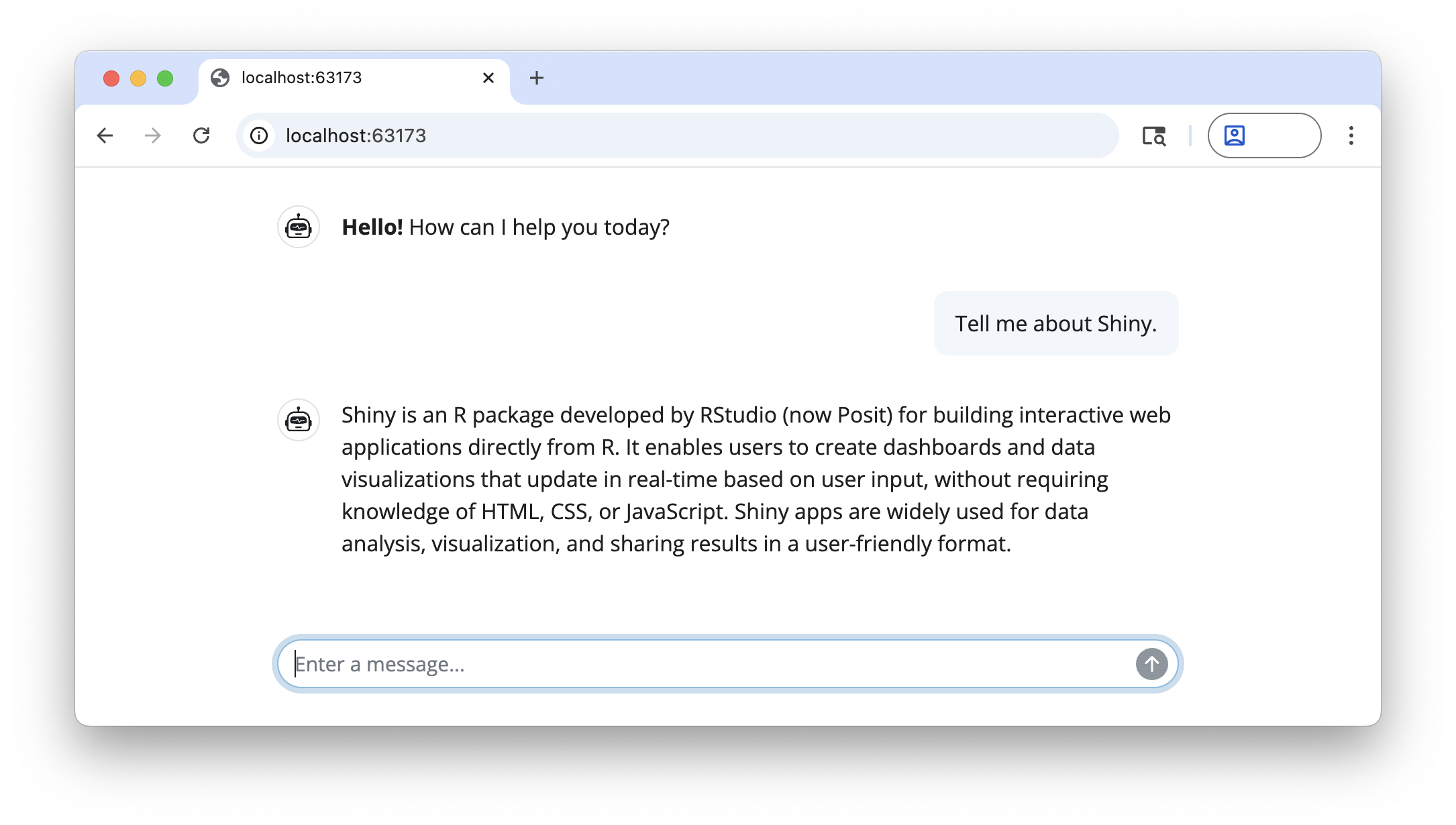
Ready to start building a chatbot with shinychat? See Get Started to learn more.
Use page_chat() when the chat owns the full browser
window. It includes responsive navigation and sidebar support:
ui <- page_chat(
  "Assistant",
  toolbar = actionButton("clear_chat", "Clear conversation"),
  toolbar_global = bslib::toolbar(
    bslib::input_dark_mode(),
    actionButton("help", "Help")
  ),
  sidebar = chat_sidebar(tags$p("Tools"), history = FALSE),
  pages_navbar = list(
    chat_nav_panel(
      "About",
      tags$p("About this app."),
      value = "about",
    ),
    chat_nav_panel(
      "Settings",
      tags$p("Settings"),
      toolbar = actionButton("save_settings", "Save settings")
    )
  ),
  drawer = chat_drawer(tags$p("Preview content"), title = "Preview")
)
For an embedded chat or a layout with other top-level content,
continue using chat_ui() inside
bslib::page_fillable(), bslib::page_sidebar(),
or another suitable container. page_chat() owns its page
composition and should not be wrapped in another page container.
The package includes credential-free page_chat()
examples. Run them with:
shiny::runExample("page-chat-navigation", package = "shinychat")
shiny::runExample("page-chat-drawer-controls", package = "shinychat")
These binaries (installable software) and packages are in development.
They may not be fully stable and should be used with caution. We make no claims about them.